MapFlip - Apple to Google
MapFlip - Apple to Google
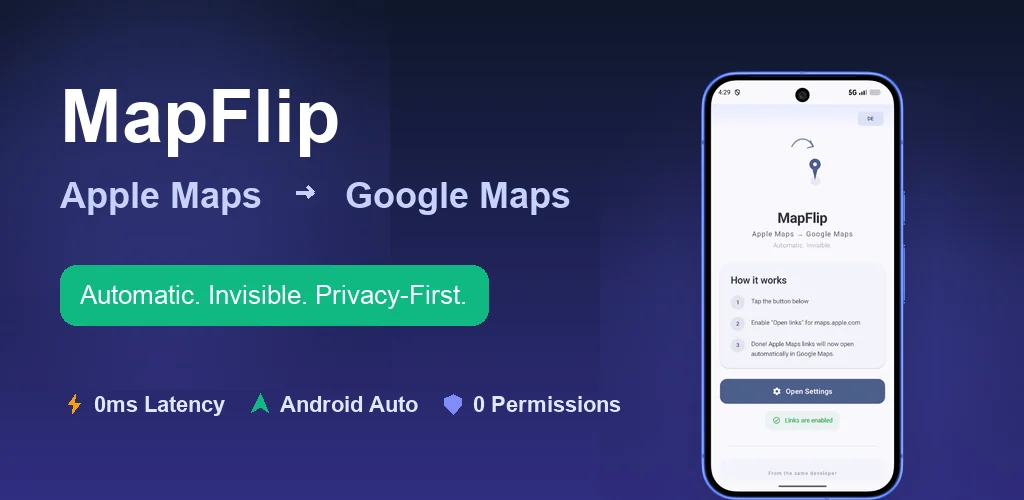
MapFlip: Seamless Apple Maps Link Redirection for Android
MapFlip is an innovative Android application designed to seamlessly redirect Apple Maps links directly into Google Maps. It eliminates the frustration of "link-hijacking" and slow browser web views, providing Android users with a smooth, native navigation experience. This tool is perfect for anyone who frequently receives Apple Maps links in chats, emails, or other applications and prefers to use Google Maps for navigation.
Key Features:
100% Local & Private: Operates entirely offline with zero internet permissions, ensuring no data collection or tracking.
Open Source & Free: Available under the MIT license on GitHub, completely free of charge and ad-free.
Native Google Maps Integration: Opens links directly in the Google Maps app, enabling full native navigation and Android Auto support.
Seamless Redirection: Automatically detects and converts Apple Maps URLs (maps.apple.com) to Google Maps.
Pause Mode: Includes a Quick Settings Tile to temporarily disable redirection, allowing original Apple Maps links to open if desired.
Multi-language Support: Fully localized in 14+ languages for a global user base.
Use Cases:
MapFlip addresses a common pain point for Android users: receiving Apple Maps links from iPhone users. Instead of being forced into a sluggish browser-based Apple Maps view that lacks direct navigation and Android Auto support, MapFlip instantly opens the location in the user's preferred Google Maps application. This is particularly beneficial for drivers, motorcyclists, and commuters who need immediate, turn-by-turn directions without workflow interruptions.
Whether you receive a location via WhatsApp, Telegram, email, or SMS, MapFlip ensures a frictionless experience. It's ideal for coordinating meetups, sharing addresses, or simply getting directions from contacts who use Apple devices, transforming a potential frustration into a smooth, efficient process.
Pricing Information:
MapFlip is 100% free to use, completely ad-free, and open-source under the MIT license. There are no hidden costs, subscriptions, or in-app purchases.
User Experience and Support:
The app boasts a straightforward setup process, requiring users to simply install it and activate it as a link handler. Its intuitive design includes a convenient Quick Settings Tile for quick toggling of the redirection feature. While direct support channels aren't explicitly mentioned, the comprehensive FAQ section within the provided text suggests a self-service approach to common queries. The app's commitment to privacy and local processing also contributes to a trustworthy user experience.
Technical Details:
MapFlip functions as a lightweight link converter. It registers itself as a native link handler for maps.apple.com URLs. Upon tapping a link, the app locally extracts coordinates or search queries and passes them directly to the native Google Maps application. It requires no internet permissions, performs all processing offline on the device, and uses no tracking or advertising SDKs, ensuring minimal battery consumption and maximum privacy.
Pros and Cons:
Pros:
Solves a specific, common problem for Android users.
Enhances user experience by enabling native Google Maps navigation.
Strong privacy guarantees (0 internet permissions, no tracking, local processing).
Completely free and open-source.
Supports Android Auto for seamless in-car navigation.
Minimal battery consumption.
Conclusion:
MapFlip offers an elegant, privacy-conscious, and highly effective solution for Android users who frequently encounter Apple Maps links. By seamlessly redirecting these links to Google Maps, it significantly improves navigation efficiency and user workflow. Explore MapFlip today to transform your mapping experience on Android.
Comments
Publisher

Launch Date2026-09-02
Platformmobile
Pricingfree
Tech Stack
#android
Outbid
View🥇 🥈
🥈 🥉
🥉
Want this spot? Pay what you wantBoost Domain Rating - Boost Domain Rating is a platform to discover and upvote the best tech products. Find top products launching daily.
Boost Domain Rating is a platform to discover and upvote the best tech products. Find top products launching daily.
$35
DirEasy - The Best Directory Boilerplate with AI | DirEasy
The best directory boilerplate, packed with AI, Listings, Payment, Submission, CMS, Blog, Authentication, Newsletter, SEO and more.
$30
Quiz Shot - Solve Any Screenshot Question in Seconds.
AI Study Assistant that answers any screenshot question. Get free AI tutor and step-by-step math and homework help with ChatGPT.
$25