
PhotoRepairAI
PhotoRepairAI
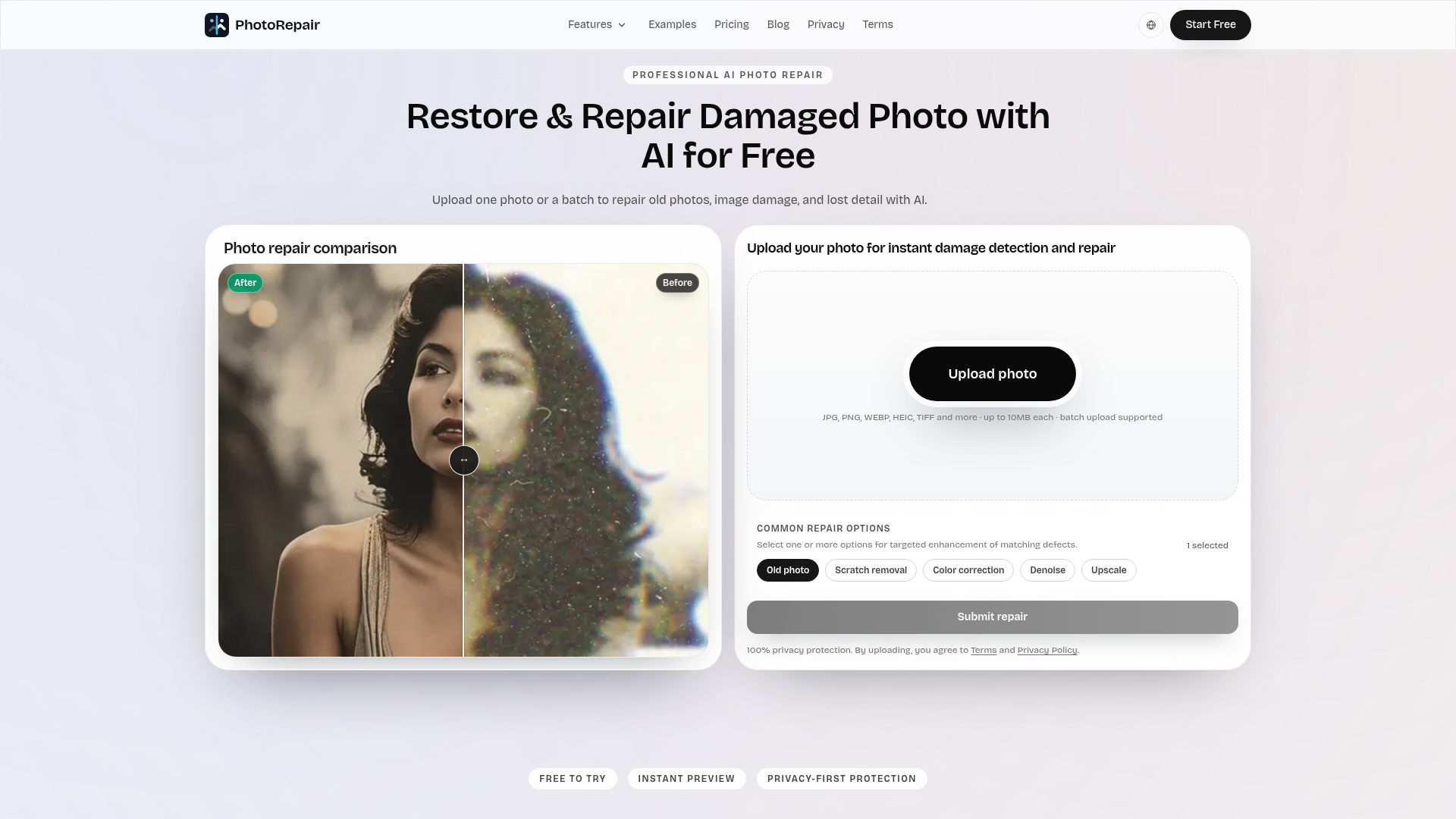
PhotoRepairAI is a professional AI-powered online tool designed to restore and repair damaged photos with remarkable accuracy and natural results. It caters to anyone looking to revive old family photos, fix blurry captures, remove scratches, restore faded colors, or enhance portraits, making cherished memories clear again.
Key Features
- AI-powered Scratch & Crease Removal: Effectively cleans linear artifacts while preserving original textures.
- Blur Fix & Edge Reconstruction: Sharpens blurry images and reconstructs details without harsh halos.
- Faded Color Restoration: Brings back washed-out tones and improves color balance naturally.
- Resolution Enhancement (Upscale): Increases image resolution for clearer details, suitable for sharing and light printing.
- Portrait Restoration: Enhances facial micro-contrast and contours while maintaining natural skin texture.
- Multi-format Support & Privacy-First: Upload JPG, PNG, WEBP, HEIC, HEIF, TIFF, BMP with automated privacy cleanup.
Use Cases
PhotoRepairAI is invaluable for preserving historical family archives, digitizing old photo albums, and improving the quality of scanned prints. Users can effortlessly fix common issues like yellowing, grain, and softness in one go, ensuring that precious moments are not lost to time or damage. It's also perfect for photographers or individuals who need to enhance low-resolution images for social media or print, providing a significant boost in clarity and detail. Whether it's a vintage portrait needing facial clarity or a modern photo suffering from blur, PhotoRepairAI offers a targeted solution.Pricing Information
PhotoRepairAI operates on a freemium model. Users can create an account to start a free trial, which includes an instant before/after preview of all repair modes. For full-resolution downloads, credit packs are available, starting from a Starter Pack for occasional repairs to a Pro Pack for heavier usage, offering a lower cost per repair.User Experience and Support
The platform boasts a clean, browser-based workflow, making photo repair accessible without any software installation. The process is streamlined into three simple steps: upload the original photo, select the appropriate AI repair mode, and review the realistic before-and-after preview before downloading. For any payment difficulties or inquiries, support is available via email at support@photorepair.app.Technical Details
Leveraging advanced artificial intelligence and machine learning algorithms, PhotoRepairAI performs intelligent damage detection and repair. The AI is specifically tuned to avoid artificial-looking results, focusing instead on recovering clean edges, balanced tones, and realistic textures. This ensures that restored images look natural rather than overly processed or "plastic."Pros and Cons
- Pros: Natural-looking AI-driven repairs; intuitive browser-based interface; supports a wide range of image formats; dedicated repair modes for specific issues; strong privacy protection; instant before/after previews.
- Cons: Requires account creation for full downloads; very heavily damaged images may still have limitations; credit-based system for full downloads.
Conclusion
PhotoRepairAI provides a powerful and user-friendly solution for anyone seeking to restore and enhance their damaged or old photographs. Its AI-driven precision ensures high-quality, natural-looking results, making it an essential tool for preserving memories. Explore PhotoRepairAI today to bring your cherished photos back to life.Comments
Publisher

Launch Date2026-10-08
Platformweb
Pricingfreemium
Tech Stack
#AI#ML#web
Outbid
View🥇 🥈
🥈 🥉
🥉
Want this spot? Pay what you wantSubmit Your Startup to 100+ Directories | Submitator
Automated startup directory submission service. Get listed on Product Hunt, BetaList, Indie Hackers & 100+ directories for SEO backlinks and DR boost. From $29.
$40
Boost Your Domain Rating — DoFollow Backlinks (DR 30–70) from $30
Raise your Ahrefs Domain Rating with 5 - 50 dofollow backlinks from DR 30–60 sites — from $50, guaranteed to improve your DR or your money back.
$35
DirEasy - The Best Directory Boilerplate with AI | DirEasy
The best directory boilerplate, packed with AI, Listings, Payment, Submission, CMS, Blog, Authentication, Newsletter, SEO and more.
$30